
Blogs
See what ERP customisation really costs and how Odoo customisation helps Australian businesses build tailored systems without blowing the budget.
At first, the quote seemed fair enough. Then change requests rolled in, more developer hours got tacked on, and an upgrade broke half our custom code.
We have watched plenty of Australian business owners and CFOs sign off on an ERP project thinking, “That’s what we’ll pay,” only to end up shelling out way more.
Odoo ERP customisation offers a different option, but it depends on whether you know where the money is actually going. The real issue is not usually the software licence; it is how you scope, build, and maintain the customisation. If you get it right, you end up with a system that actually fits your business, without a development bill creeping higher every year.
So where does the money go, and how do you keep it under control? Let us break it down.
Panorama Consulting's 2024 ERP Report found that 33% of ERP projects went over budget. Of those, 51% blamed additional technology requirements, 33% underestimated consulting fees, and 26% pointed to scope creep.
Gartner predicts that by 2027, more than 70% of recently implemented ERP initiatives will not fully meet their original business case goals.
In our experience, much of that pain comes from poorly planned customisation. The ERP customisation cost on the first invoice is only part of the story.
| Cost Driver | What It Looks Like | Why It Grows |
|---|---|---|
| Bespoke code | Developers building features from scratch | Every hour is billable, and scope tends to expand |
| Testing | Checking custom features against real business data | Complex code needs more test cycles |
| Upgrade rework | Rewriting code when a new ERP version is released | Heavily modified systems resist upgrades |
| Maintenance | Fixing bugs and answering staff questions | Custom code needs someone who understands it |
| Vendor lock-in | Only the original developer can work on the system | You lose bargaining power on future work |
This is why ERP development expenses keep appearing long after go-live. The build is only the first bill.
First, separate two ideas that often get blurred.
Configuration means setting up the system using existing options. Think tax settings, approval rules, user permissions and report layouts.
Configuration means changing or adding code so the system does something it could not do before.
Most Odoo customisation Australia projects need far less custom code than clients expect. In discovery workshops, we often find that standard features or a small configuration change already covers many "must-have" requests.
Here is how the main options compare when you weigh ERP customisation vs standard ERP:
| Approach | Upfront Cost | Time To Go Live | Upgrade Risk | Best Suited To |
|---|---|---|---|---|
| Heavily customised ERP | High | Slow | High | Rarely the right choice |
| Standard ERP, out of the box | Low | Fast | Low | Businesses with common processes |
| Custom ERP development from scratch | Very high | Very slow | You own every issue | Large firms with in-house IT teams |
| Odoo with targeted customisation | Low to medium | Moderate | Low to medium | SMEs and mid-market firms with a few unique processes |
Custom ERP development sounds appealing because you get exactly what you asked for. But ERP software development cost does not stop at launch. You also inherit every bug, every security patch and every future feature request.
The smarter question is not "standard or custom?" It is "how little custom code can we get away with?"
Odoo was designed to make tailoring cheaper and safer. That is a big reason it has become such a cost-effective ERP software option for growing Australian businesses.
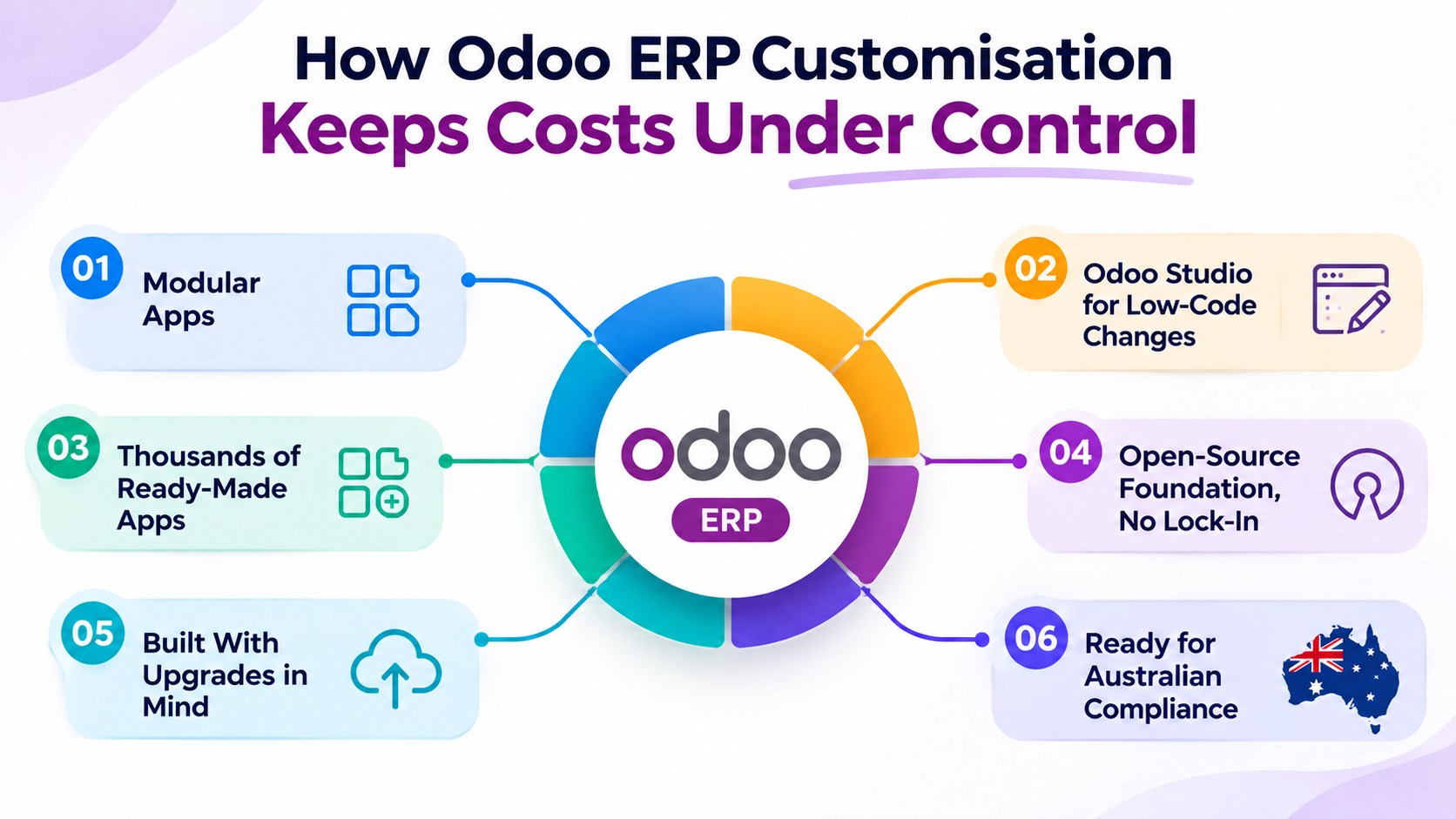
Odoo runs as a set of connected apps, including Accounting, Inventory, Sales, Purchase, Manufacturing, CRM and Project. You start with what you need today and add more as you grow. There is no paying for a giant suite you only half use.
Odoo Studio lets you add fields, adjust forms, build simple automated actions and design reports through a drag-and-drop interface. Many everyday changes need no developer. For most SMEs, this removes a large slice of development spend before you write a single module.
The Odoo Apps Store lists thousands of modules built by Odoo and its partner community. Before you pay for a build, check whether someone has already solved your problem. A tested, existing module usually costs far less than writing one from scratch, quickly cutting ERP development expenses.
Odoo is built on Python and an open, well-documented framework, and its Community edition is open source. Any skilled Odoo developer can read and work on your customisations. You are not tied to one vendor forever, which keeps your ERP software development cost competitive over time.
Odoo releases a new major version every year. Customisations built as separate modules on Odoo's standard framework are much easier to carry forward than code that alters the core system.
Odoo includes an Australian accounting localisation with GST tax settings and BAS reporting. That is a whole layer of work you do not need to pay a developer to build, and it is one reason Odoo customisation Australia projects need less local development than you might expect.
Not every change costs the same. This is the breakdown we walk clients through when building an Odoo customisation cost estimate.
| Type Of Change | Example | Relative Cost | Upgrade Risk |
|---|---|---|---|
| Configuration | Setting up GST codes, approval rules and user roles | Low | Very low |
| Odoo Studio change | Adding a custom field to sales orders or a new report layout | Low | Low |
| Existing app from the Odoo Apps Store | Adding an industry-specific feature | Low to medium | Low to medium |
| Custom module | Unique pricing logic or a specialised manufacturing step | Medium to high | Medium |
| Third-party integration | Linking Odoo to a warehouse system, online store or industry platform | Medium to high | Medium |
The goal is simple. Push as much of your requirements list as possible into the top three rows. Save custom code for the processes that genuinely set your business apart.
Your total Odoo implementation cost also depends on the number of users, the apps you choose, data migration and staff training. Customisation is one piece of the budget, not the whole thing.

Not sure whether you need configuration or custom code?
Talk to our Odoo expert.Standard features cover a lot of ground, but not everything.
You are likely to benefit from targeted Odoo customisation services if:
If two or more of these sound familiar, a focused customisation project is usually worth the investment.
Here is a typical situation we see. A Melbourne wholesaler with around 25 staff wants tiered pricing by customer group, manager approval on large quotes, a link to its freight carrier and a rebate calculation for key accounts.
On paper, that is four custom builds. In practice:
1. Tiered pricing is handled with Odoo's standard pricelists, which is pure configuration.
2. Quote approvals are set up with Odoo Studio and automated actions.
3. The freight link uses an existing shipping connector or a small integration.
4. he rebate calculation becomes the only true custom module.
Most of the list is met without new code. The custom budget goes into the one process that drives margin. That is what good Odoo customisation for SMEs looks like, and it is how affordable ERP solutions are built in real life.
The partner you choose shapes your costs for years.
When comparing providers, check these six things:
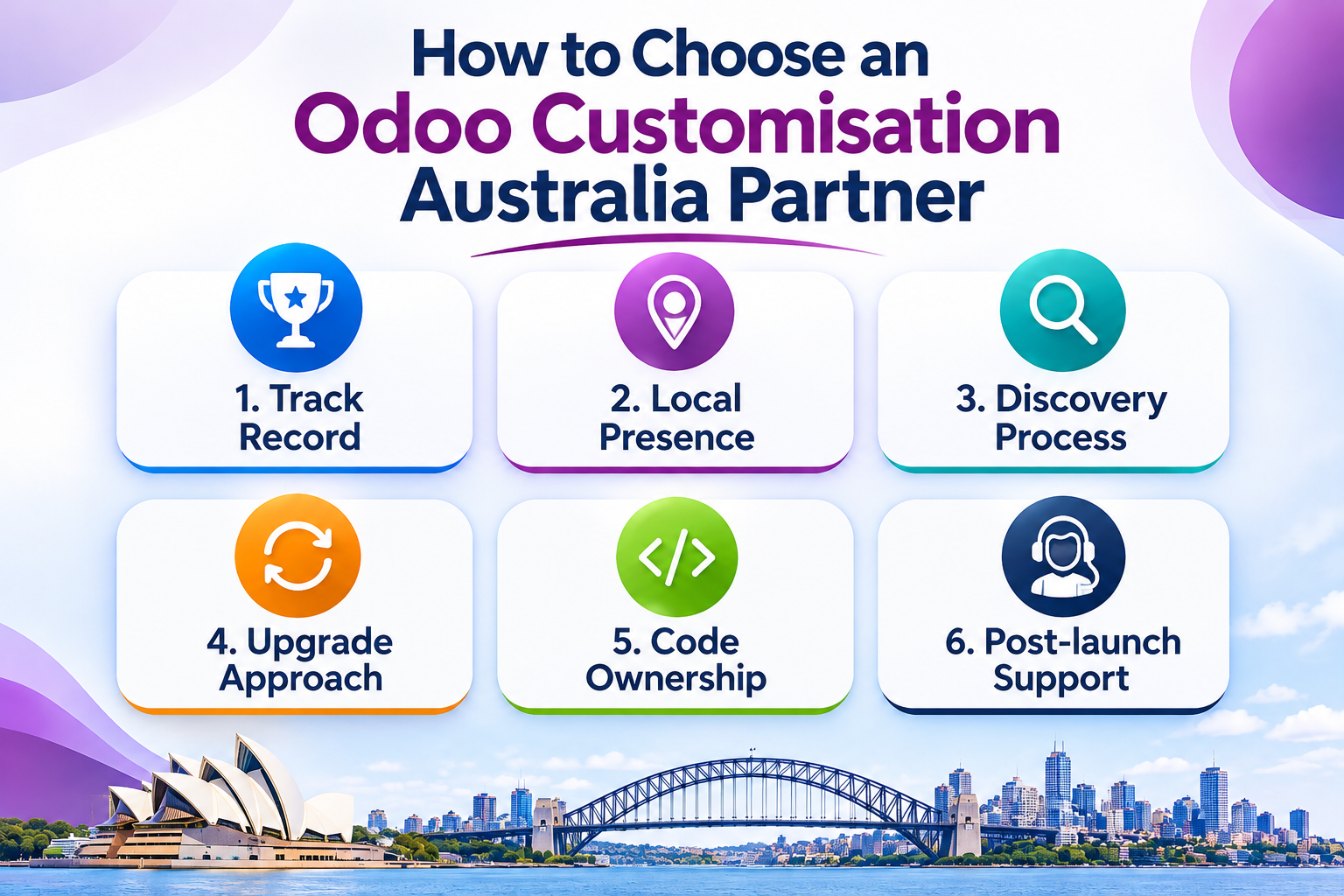
1. Track record: Ask how many Odoo implementations they have completed and in which industries.
2. Local presence: A team in your time zone that understands GST, BAS, and Australian business practices reduces friction in Odoo ERP customisation Australia projects.
3.Discovery process: A good partner challenges your requirements before quoting code.
4. Upgrade approach: Build customisations as separate modules with clear documentation.
5. Code ownership: Confirm you own the code and can work with another developer later.
6. Post-launch support: Ask who fixes issues, how quickly and at what cost.
Founded in 2006, Envertis became an Odoo partner in 2017 and was recognised as an Odoo Centre of Excellence in 2018. The team has completed more than 80 Odoo implementations, with offices in Sydney, Melbourne, Brisbane, Adelaide and Perth.
Our Odoo ERP customisation services follow one principle: configure first, customise only where it pays off. In practice, that means:
If you want tailored ERP solutions for businesses of your size, without enterprise-level price tags, this approach keeps Odoo ERP customisation Australia projects on budget and easier to grow.
Paying for custom code you may not need?
Book a consultation with Envertis.There is no single price. Cost depends on how many changes you can handle through configuration or Odoo Studio, and how many require custom modules or integrations. Customisation is also only one part of your overall Odoo implementation cost. A proper discovery session is the most reliable way to get an accurate estimate.
Odoo Studio handles many common changes, such as new fields, form layouts, simple automations and reports. You will need a developer for complex business logic, unique calculations or integrations with other systems. Many businesses use a mix of both, supported by professional Odoo customisation services.
They should not, if they are built correctly. Customisations developed as separate modules on Odoo's standard framework are much easier to upgrade. Changes made to core code cause most upgrade problems.
Configuration uses settings that already exist in the system, such as tax codes, workflows and user permissions. Customisation adds or changes code so the system can do something new. Configuration is cheaper, faster and carries far less upgrade risk.
For many Australian SMEs, yes. Its modular apps let you pay only for what you use, and its low-code tools reduce development needs. That makes Odoo ERP customisation a practical option for businesses that want a tailored system on a sensible budget.
Simple configuration and Studio changes can often be done quickly. Custom modules and integrations take longer, depending on complexity, testing and data. A good Odoo customisation services partner will give you a clear timeline after a short discovery phase, before any development starts.
Get free consultation and let us know your project idea to turn it into an amazing digital product.

Se 506, 8 Help Street, Chatswood, NSW 2067
324 Queen Street, Brisbane, QLD 4000
171 Collins Street, Melbourne, VIC 3000
