
Blogs
Explore how Odoo ERP reduces monthly business expenses through integrated applications, flexible pricing, and streamlined workflows while improving productivity and operational efficiency.
Pull up last month's bank statement and count the software charges. Accounting. CRM. Inventory. Rostering. A project tool. A connector app that keeps two of them talking. For many Australian SMEs, that list runs past ten lines, and most of those lines go up every year.
This is where Odoo changes the maths. You run your core operations on one platform, with one database and one per-user price. The savings are not only on the licence line. They also show up in staff hours, fewer errors, and a faster month-end close.
Below, you will see where your current spend leaks, how Odoo ERP software pricing works in Australia, and how to keep your Odoo implementation cost under control so the savings hold.
Most SMEs do not choose a messy software stack. They build it one fix at a time. A new CRM for the sales team. A rostering app for the warehouse. A plug-in to push orders into the accounting file.
Each decision makes sense on its own. Together, they create costs that never appear on a single invoice.
Where the money actually goes
Subscription stacking: five to ten vendors, each with its own annual price rise.
Per-user creep: every new hire adds a seat in several tools, not one.
Integration fees: connector apps and developer hours just to keep data moving.
Duplicate data entry: the same order typed into sales, inventory and accounts.
licences you pay for that nobody uses.
That last point is bigger than most owners expect.
Zylo's 2026 SaaS Management Index found that organisations leave an average of 36% of their SaaS licences unused, and median SaaS spend now sits at US$9,455 per employee.
Zylo's data leans towards larger organisations, so treat the dollar figure as a warning sign, not a benchmark.
The same report found 78% of IT leaders faced unexpected charges in the past year from usage-based or AI pricing. For a finance manager, that means a budget that moves without warning.
If you want to reduce monthly business software expenses, start with a simple audit. List every tool, its owner, its user count and its renewal date. Most teams find at least two tools doing the same job.
The core idea is simple. Odoo integrated business applications share one database. A sales order creates the delivery, updates stock, raises the invoice and posts to the ledger. Nobody re-keys anything.
That single data flow is why Odoo ERP costs less to run than a stack of point tools.
| Business Need | Typical Separate Tool | Odoo App | Where The Saving Comes From |
|---|---|---|---|
| Accounting, GST and BAS | Cloud accounting subscription | Accounting | Ledger, bank feeds and GST reports sit beside sales and stock data |
| Customer pipeline | Standalone CRM | CRM | Leads become quotes and orders with no export |
| Stock and warehouse | Inventory add-on | Inventory | Live stock levels, no nightly sync to break |
| Buying | Spreadsheets or a purchasing tool | Purchase | Reorder rules raise purchase orders for you |
| Staff and rosters | HR and rostering apps | Employees, Planning, Time Off | One employee record across leave, rosters and timesheets |
| Projects and service | Project management tool | Project, Timesheets | Billable hours flow straight to invoices |
| Online sales | Separate eCommerce platform | Website, eCommerce | Web orders land beside stock and accounts |
In practice, Odoo all-in-one business management software works like a bank of switches. You turn on the apps you need now and leave the rest off. On the Standard and Custom plans, installing ten apps costs the same per user as installing three.
For SMEs comparing cost-effective ERP solutions, the real gain is fewer moving parts to pay for and manage.
Envertis Tip: Do not switch on every app in month one. Start with the two or three apps that replace your most expensive or most painful tools. Add the rest once your team trusts the data.
Odoo ERP pricing is built around one question: how many people in your business need to log in? You do not pay per app on the paid plans. That is a very different ERP software pricing structure from vendors who charge per module, entity and integration.
| Plan | Indicative Australian Price (per user, per month, billed yearly) | What Is Included | Best Fit |
|---|---|---|---|
| One App Free | A$0 | One app, unlimited users, Odoo Online hosting | A single need, such as accounting or a website |
| Standard | About A$43 | All apps, Odoo Online hosting | Most SMEs with standard processes |
| Custom | About A$64 | All apps, Odoo Studio, multi-company, external API, plus Odoo Online, Odoo.sh or on-premises hosting | Multi-entity groups, or firms that need integrations and custom work |
Sources: plan inclusions from Odoo's pricing page; Australian rates from OEC.sh's tracking of Odoo's AUD price list, which shows Custom rising from A$ 64 on 24 September 2026. Confirm current rates and GST on your quote.>
All apps, one fee: your Odoo licensing cost does not jump when you add Inventory or Project.
Internal users only: customers and suppliers using the portal are not paid users.
Hosting and support included: Odoo's plans include hosting, maintenance and unlimited support.
Room to start small: begin on One App Free or Standard and move to Custom only when you need it.
One honest caution on Odoo modules and pricing: the Custom plan is where budgets drift. Installing Odoo Studio or adding a second company moves you onto it automatically. So the Odoo monthly subscription cost you plan for should match the setup you will really run, not the cheapest plan on the page.
The flexibility is the point. With Odoo ERP software, you can match spend to your business stage.
CFOs ask the same thing in every first meeting: show me the numbers.
Here is a simple model for a 15-person wholesale business. The separate-tool prices are illustrative assumptions, not quotes. Swap in the figures from your own invoices.
| Cost Area | Separate Tools (illustrative, A$ per month) |
Odoo Standard (A$ per month) |
|---|---|---|
| Accounting platform (one subscription) | 120 | Included |
| CRM (6 sales users at A$45) | 270 | Included |
| Inventory and warehouse add-on | 250 | Included |
| HR and rostering (15 users at A$8) | 120 | Included |
| Project tool (8 users at A$15) | 120 | Included |
| Integration connectors | 100 | Not needed |
| Total per month | 980 | 645 (15 users at about A$43) |
| Total per year | 11,760 | 7,740 |
On these assumptions, the licence saving is about A$4,020 a year. The bigger gain usually comes from the hours your team stops spending on re-keying, reconciling and chasing data between systems.
Keep two things in mind when you model your own Odoo ERP cost:
1. Implementation is a one-off cost. Weigh it against several years of savings.
2. Plan choice matters. If you need multi-company or custom work, model the Custom plan instead.
That is why Odoo often comes up as affordable ERP software. The total cost is easy to forecast. For affordable ERP solutions for small businesses, that predictability is worth as much as the savings itself.
Licence savings are easy to show on a spreadsheet. Operational savings are harder to see, but they are usually larger. This is where Odoo ERP for Australian SMEs often earns its keep.
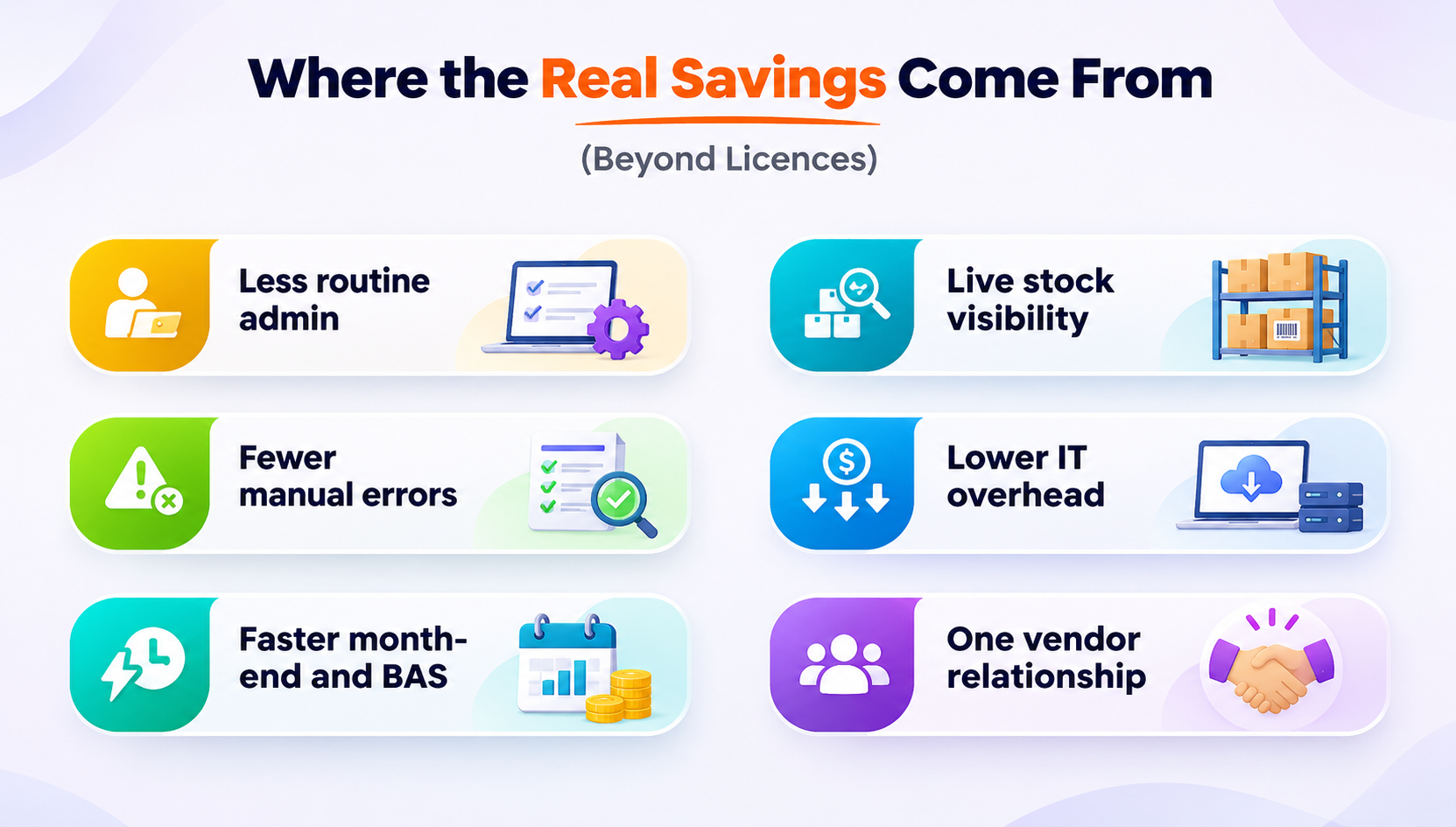
Less routine admin: reordering, recurring invoices, and reconciliation suggestions run in the background- no more manual busywork for your team.
Fewer manual errors: every customer, product, and supplier gets a single record, so you have one source of truth.
Faster month-end and BAS: GST gets tracked on every transaction, turning BAS prep into a quick review rather than starting from scratch.
Live stock visibility: you only order what you need. That means cash does not get stuck in stock that just sits there.
Lower IT overhead: with Odoo Online, you do not have to worry about servers, patches, or backups.
One vendor relationship: one renewal to think about, one contract, and one point of contact when you need support.
Add these up, and the case for reducing ERP costs with Odoo ERP is rarely about the subscription alone. It is about giving your team their week back.

Not sure what your current stack really costs?
Book a free ERP cost review.Software is rarely what sinks an ERP budget. The project is.
Panorama Consulting's 2026 ERP Report found that 30% of respondents said their ERP project ran over budget, according to TechTarget.
According to an ERP Research summary of the same report, the most common cause was an unexpected need for additional technology, usually a gap that better planning would have caught.
That pattern applies to Odoo projects too.
Here is how an experienced Odoo partner keeps your Odoo implementation cost in line:
Scope on paper first. Map your processes, users and integrations before anyone writes a quote.
Configure before you customise. Standard Odoo covers most SME workflows. Every custom feature adds build cost now and upgrade cost later.
Phase the rollout. Go live with finance and sales first, then add inventory, manufacturing or projects.
Clean your data before migration. Bad data moved into a new system is still bad data.
Budget for training. A system your team avoids saves nothing.
Envertis Tip: Settle the plan question early. If you will need multi-company or Odoo Studio within two years, budget for the Custom plan from day one so the Odoo ERP pricing in your business case stays accurate.
Odoo gives you the platform. The partner decides whether it delivers savings. A local team understands GST, BAS, Australian payroll obligations and how SMEs here actually run day-to-day.
Envertis has worked in business software since 2006 and became an Odoo partner in 2017. It was recognised as an Odoo Centre of Excellence in 2018 and has now completed more than 80 Odoo implementations, with teams in Sydney, Melbourne, Brisbane, Adelaide and Perth.
That experience shows up where it counts:
Scopes that hold, because they are built from real Australian projects.
Phased plans that deliver savings in the first months, not the second year.
Straight advice on whether Standard or Custom suits you, even when the cheaper plan is the right answer.
Cost-effective ERP solutions start with a clear number. That is what you will leave the first conversation with.
Software bills still climbing?
Book a free consultation today.Your Odoo ERP cost depends on your user count and plan. Currently, Odoo's Australian price list is about A$43 per user per month for Standard and A$64 for Custom, billed yearly. One App Free costs A$0. Implementation is a separate one-off cost.
Yes, when it replaces tools rather than sitting beside them. Odoo's integrated business applications cover accounting, CRM, inventory, HR, and projects in one system so that you can cancel overlapping subscriptions and connectors. Businesses that reduce monthly business software expenses the most retire old tools on a clear timeline.
Both Odoo ERP software plans include all apps. Standard runs on Odoo Online and suits businesses with standard processes. Custom adds Odoo Studio, multi-company, the external API and the choice of Odoo.sh or on-premises hosting. Knowing Odoo modules and pricing at this level helps you pick the right plan and avoid surprises.
Odoo includes an Australian accounting localisation that applies GST on transactions and supports BAS reporting. Confirm payroll and Single Touch Payroll needs during scoping. This local fit is a key reason Odoo ERP for Australian SMEs works well for finance teams.
For most SMEs, yes. Because the ERP software pricing structure is per user with all apps included, adding a new function does not add a new bill. Odoo's all-in-one business management software also removes most integration fees. Model it with your own invoices.
Yes. Odoo is one of the more affordable ERP solutions for small businesses because you can start with one free app and move to a paid plan as you grow. Your Odoo licensing cost rises with users, not apps. That makes it affordable ERP software you can scale without rebuilding your budget each year.
Get free consultation and let us know your project idea to turn it into an amazing digital product.

Se 506, 8 Help Street, Chatswood, NSW 2067
324 Queen Street, Brisbane, QLD 4000
171 Collins Street, Melbourne, VIC 3000
