
Odoo 20 looks set to be the release where that work becomes genuinely visible. Based on everything the Odoo team has signalled in its development roadmap at the Odoo Partner Days 2026, we expect a significant deepening of AI-assisted workflows and module updates to increase productivity.
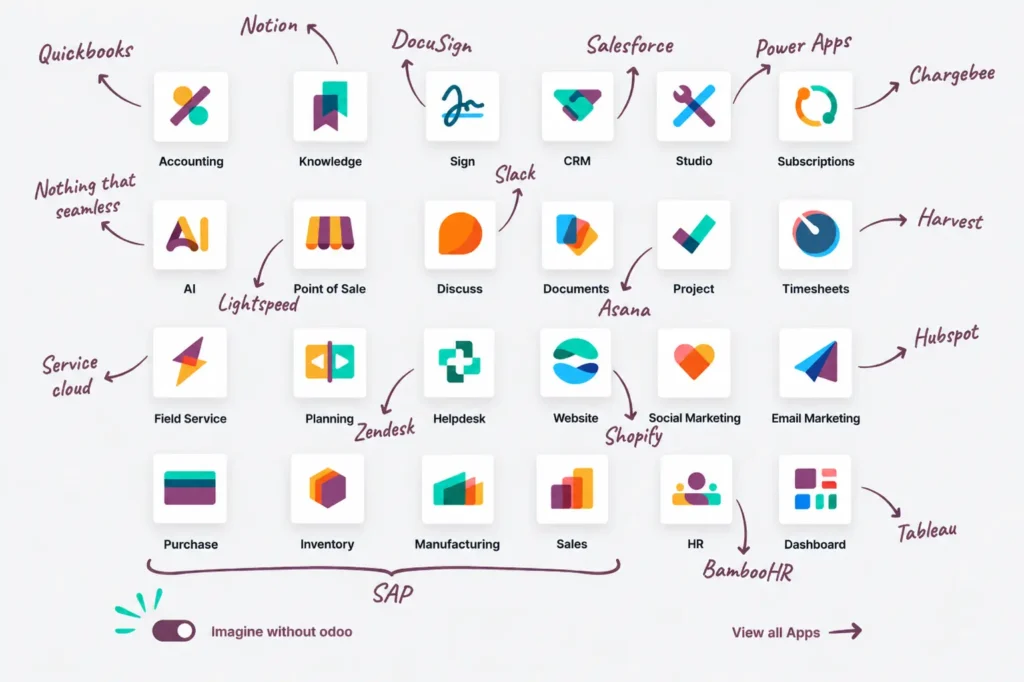
At Envertis, we have guided Australian businesses through every major Odoo release since the platform established a local presence. In this blog, I am going to walk you through what we genuinely expect from Odoo 20: which AI capabilities are coming, what the module updates look like in practice, and a clear upgrade guide for IT managers planning their 2026 migration roadmap.
This is not a press release rewrite. It is an honest, detailed assessment by people who will implement this software for real clients.

Odoo 20 Release Timeline
Odoo usually drops a new version every year, and it almost always happens in the back half of the year. So, keeping up with the pace of versions 17, 18, and 19, Odoo 20 should land sometime around September 2026.

Each release lately has had its own thing going on. Take version 17—it completely revamped the interface and suddenly made everything a whole lot friendlier for people who aren’t tech pros.
Version 18 tackled performance at scale.
Version 19 laid the groundwork for AI-assisted workflows in selected modules.
Odoo 20 is where those threads are expected to converge — a platform-wide AI layer that applies consistently across modules rather than appearing in isolated pockets.
For businesses currently running Odoo 16 or earlier, the upgrade conversation is straightforward: you are falling behind on both features and security updates. For businesses on Odoo 18 or 19, the decision is more nuanced — and we will give you an honest ROI breakdown later in this article.
Odoo 20 AI Features: What We Are Expecting Across the Platform
The anticipated AI capabilities in Odoo 20 are worth examining carefully, because they are not the kind of superficial additions that look impressive in a product demo but disappear into the background once you go live. The probable approach is to build AI into the workflows your team already uses — the only way these tools actually get adopted.
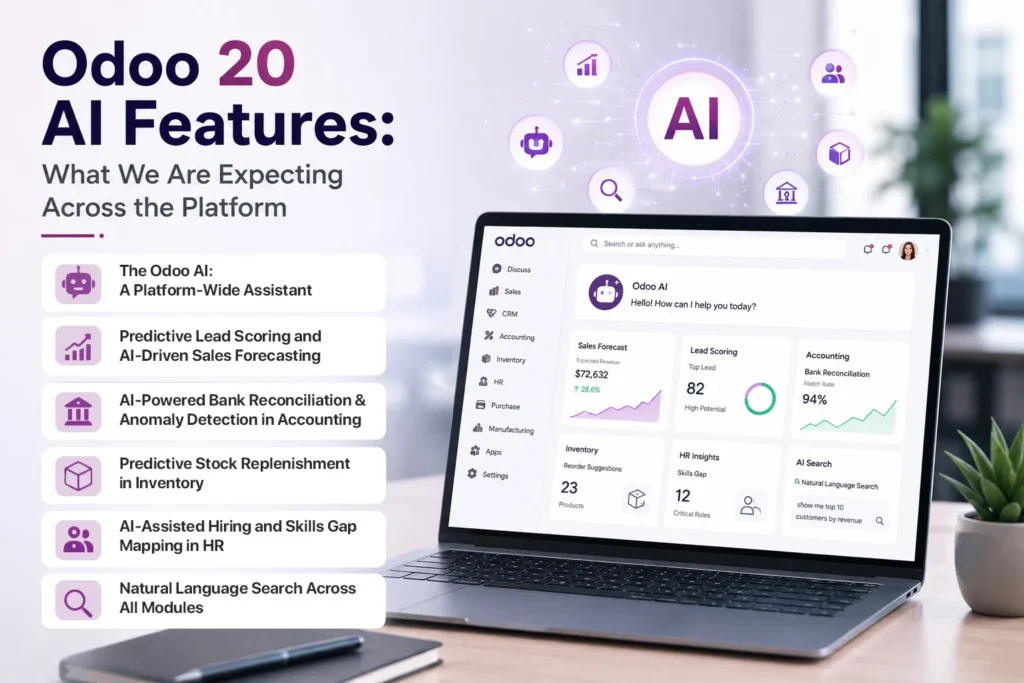
1. The Odoo AI: A Platform-Wide Assistant
What distinguishes Odoo 20’s AI approach is placement. Rather than building a separate AI layer, Odoo is embedding intelligence directly into existing workflows — accounting, helpdesk, record management, and website operations. AI that reduces friction inside a task people already run gets used. AI that requires a context switch mostly does not.
The practical upside, if Odoo delivers on the roadmap, is meaningful: faster information handling, lighter admin overhead, and day-to-day assistance across both back-office and customer-facing functions — without asking your staff to change how they work to access it.
2. Predictive Lead Scoring and AI-Driven Sales Forecasting
The CRM module is likely to receive one of the most commercially impactful upgrades in the Odoo 20 release. For sales teams, predictive lead scoring is the big show. It scans your past wins and losses, looks at pipeline behaviours, and ranks leads based on who’s most likely to convert. You stop guessing and spend your time on the deals that actually matter. And sales managers finally get forecasts that don’t crumble the second they hit the boardroom.
The supporting features predicted around this are equally useful in practice:
- Automated follow-up prompts triggered by lead activity, time in stage, and engagement signals — so opportunities do not stall because someone forgot to send a Tuesday email
- Sentiment analysis applied to customer communications, flagging at-risk deals before they go quiet
- Next-best-action recommendations designed to cut the time spent on deals that have gone cold
3. AI-Powered Bank Reconciliation and Anomaly Detection in Accounting
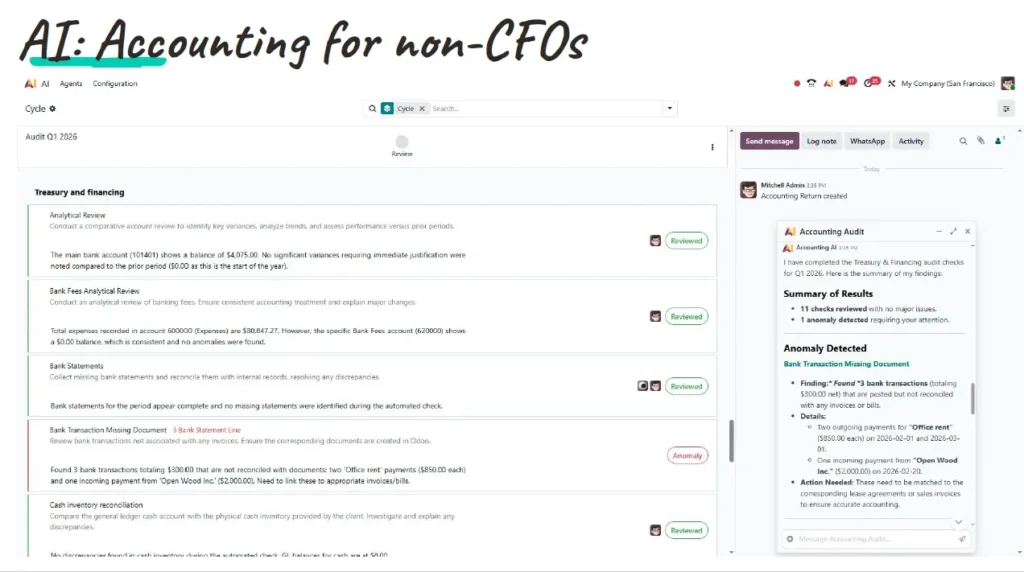
If you have ever sat in a finance team’s month-end close week, you understand why automated bank reconciliation is one of the most commercially valuable things an ERP can do. The Odoo 20 Accounting module is expected to replace basic rule-matching with a genuine learning system — one that analyses your organisation’s reconciliation patterns over time and improves its accuracy with each cycle.
The anticipated additional features for the Finance module include:
- Smart invoice coding — AI-assisted categorisation of supplier invoices that learns your chart of accounts preferences and reduces manual intervention over time
- Anomaly detection that flags unusual transactions before period-end close, rather than after an auditor finds them
- Cash flow forecasting that models forward positions based on historical payment behaviour and outstanding receivables
For Australian finance teams, this directly reduces BAS lodgement. Fewer manual touchpoints mean fewer transcription errors making their way into GST calculations.
4. Predictive Stock Replenishment in Inventory
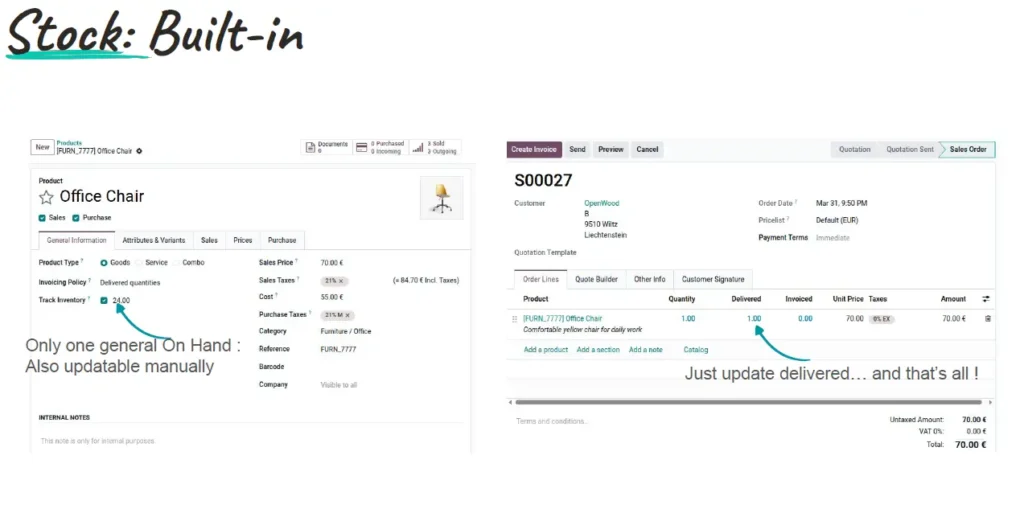
Current reorder point systems are reactive by design — they trigger a purchase order after stock drops below a threshold. The expected Odoo 20 Inventory module moves this forward with predictive replenishment: a system that analyses sales velocity, supplier lead times, and seasonal demand patterns to generate purchase orders before stockouts occur.
For manufacturing and distribution businesses — two sectors where our team at Envertis has deep implementation experience — the downstream impact on working capital and service levels can be substantial. Predictive replenishment reduces both excess stock (capital tied up unnecessarily) and stockouts (lost revenue and strained customer relationships). That balance is difficult to achieve manually at any meaningful scale.
5. AI-Assisted Hiring and Skills Gap Mapping in HR
The HR module is getting a couple of handy upgrades, too. First up, AI-assisted CV screening. It shortlists candidates based on what you actually need, so hiring managers don’t waste hours wading through stacks of resumes. If your business is always hiring, those hours really add up.
But the more game-changing feature is the skills gap analysis tool. Instead of the usual yearly HR audit, you get a live, always-on map of every employee’s skills versus their current role. It’s a clear view of where your team needs help—or where you’ve got hidden talent. For fast-growing companies or those with big teams, you used to need pricey HR analytics for that. Now it just runs in the background.
6. Natural Language Search Across All Modules
This one sounds modest but has a real impact on adoption rates. Based on the roadmap, Odoo 20 features will enable users to search across the entire platform using plain-language queries. A warehouse supervisor types ‘show me all delayed orders from this week’ and gets an accurate filtered result — no training required on filter logic, no menu navigation, no help desk ticket.
Reduced onboarding time and higher adoption among non-technical staff translate directly into faster return on your implementation investment. This is one of those features that does not appear in a feature comparison table but is clearly visible in your go-live timeline.
Odoo 20 Module Updates: What Is Changing in Daily Operations
The AI layer generates most of the pre-release attention, but the scheduled module-level improvements in Odoo 20 matter just as much for the teams who live in the platform every day.
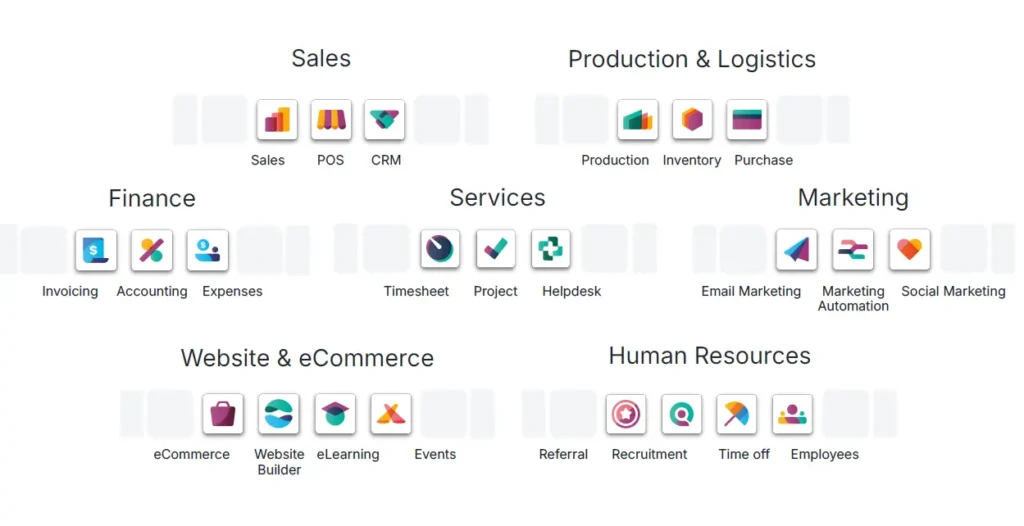
Sales Module
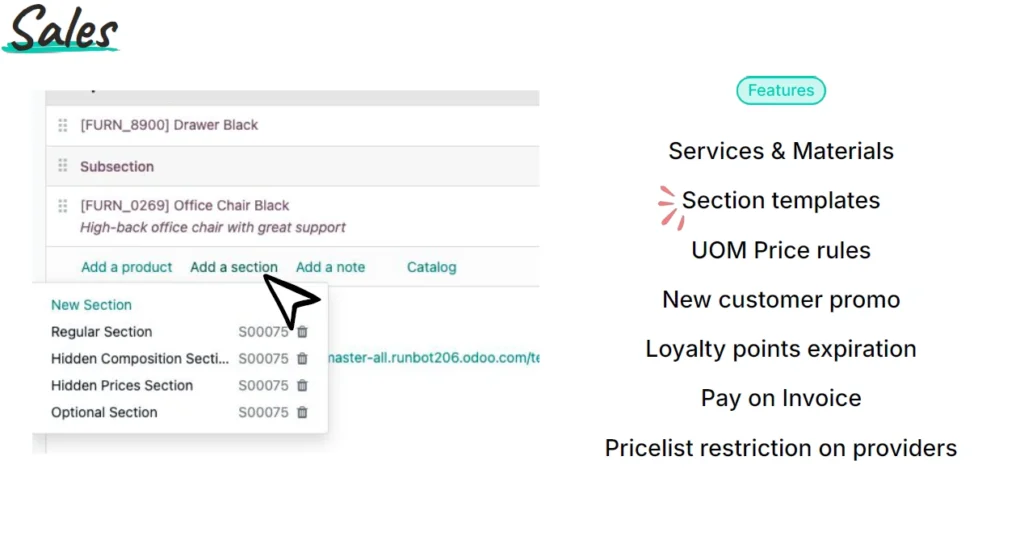
The quotation builder is predicted to be substantially reworked, with dynamic pricing rules and a more capable product configurator — particularly valuable for businesses managing tiered pricing, volume discounts, or configurable product variants. The lead-to-order handoff between CRM and Sales, which currently requires manual reconciliation in many organisations, is expected to be tightened significantly.
Native automated approval workflows for non-standard or high-value orders are also anticipated — a feature that many businesses have previously needed to commission as custom development through their Odoo implementation partner.
Accounting and Finance
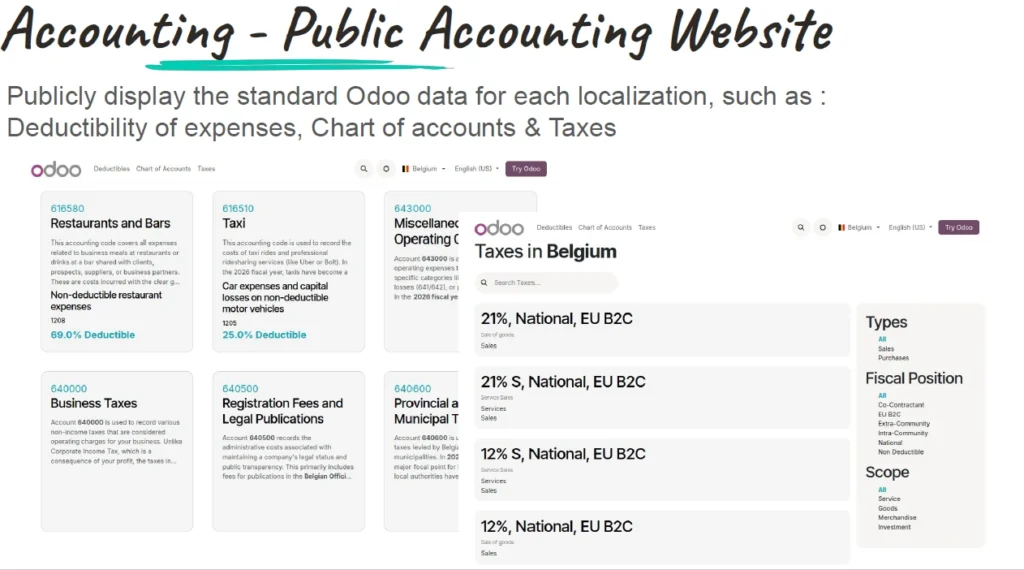
Beyond the AI reconciliation capabilities, the Finance module is anticipated to introduce a multi-currency dashboard that consolidates currency positions into a single view — a meaningful improvement for businesses managing receivables or supplier payments across currencies. Updated audit trail structures and a budget control module that enables real-time monitoring of departmental spend against approved limits are also suggested by industry signals.
For Australian teams, the GST tax mapping and BAS report generator are both anticipated to see improvements in Odoo 20, making quarterly compliance reporting faster and less error-prone.
Manufacturing
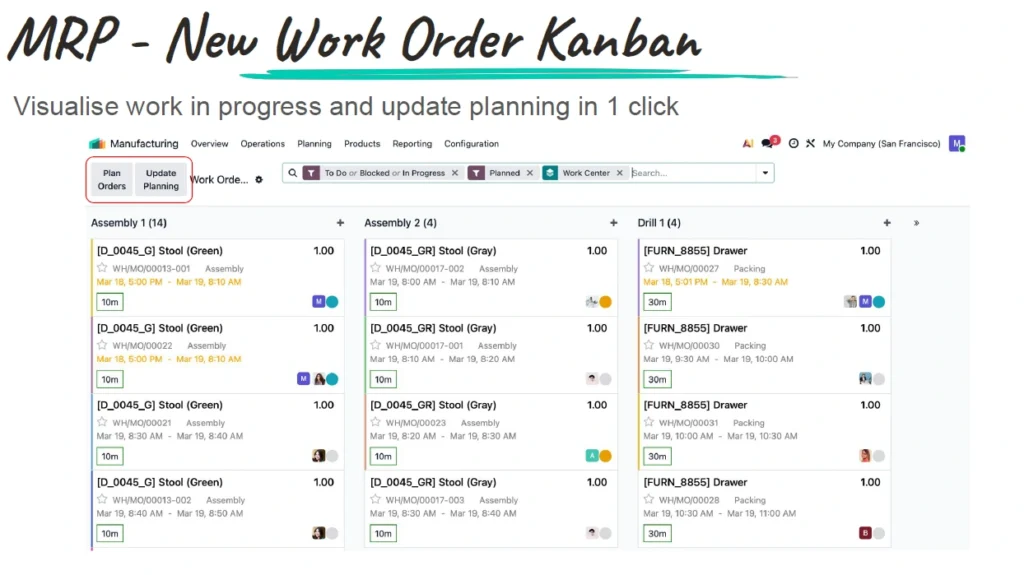
AI-driven production scheduling is one of the more technically ambitious probable additions. The system is designed to factor in machine capacity, material availability, and workforce allocation simultaneously — with work orders adjusting dynamically in response to real-time floor data. For operations managers currently managing schedule conflicts manually, this represents a genuine operational step forward.
Human Resources
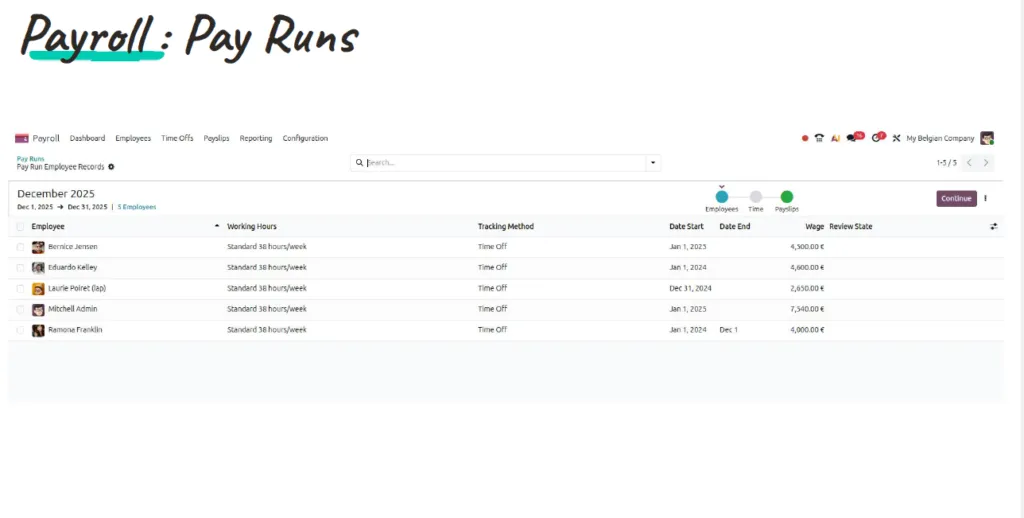
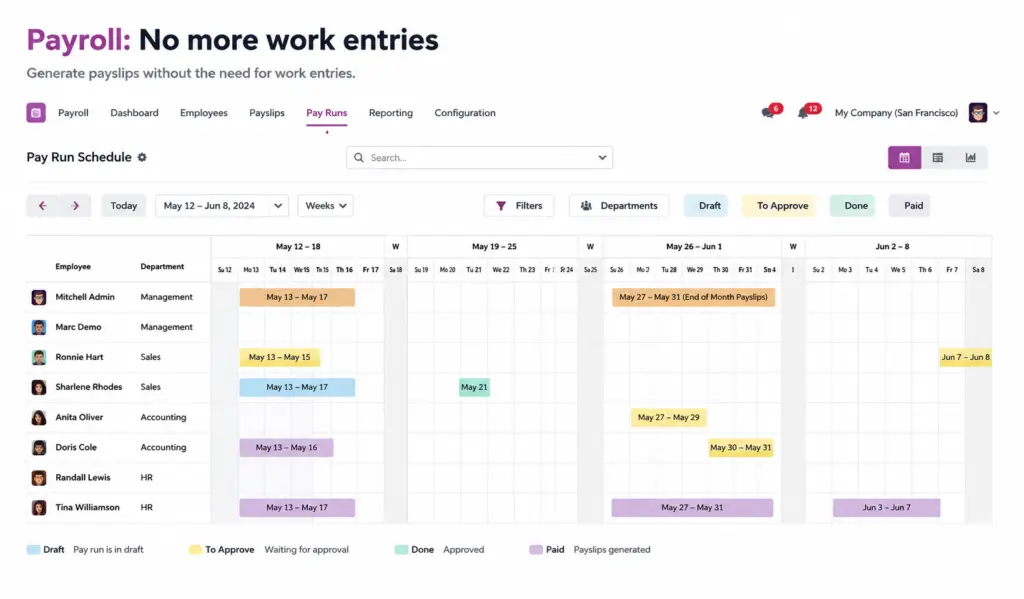
Beyond the AI features already covered, the HR module is likely to include improved employee self-service and an updated performance review framework. The continuous skills gap analysis tool removes one of the most labour-intensive recurring tasks from HR teams — and replaces it with something that actually improves between reviews rather than sitting in a spreadsheet until the next annual cycle.
eCommerce
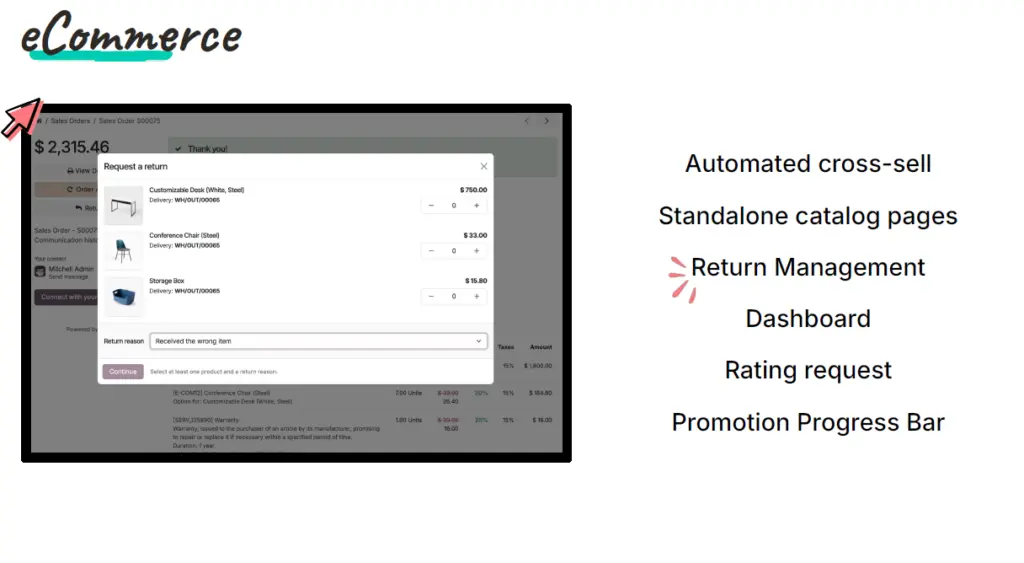
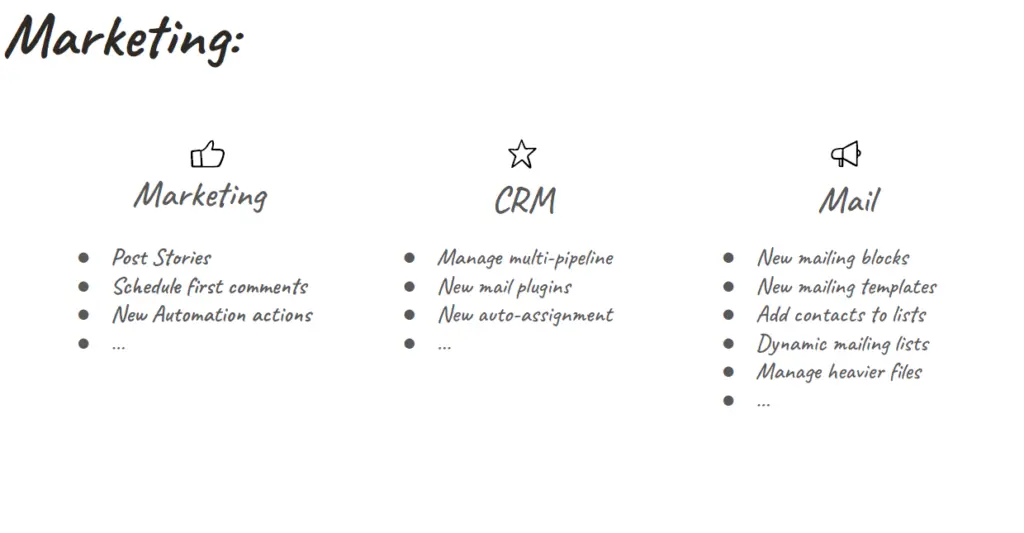
AI-powered product personalisation based on individual shopper behaviour and purchase history is the headline expected addition. A headless commerce API is also anticipated, giving development teams more flexibility to build custom storefronts without the constraints of default theme architecture. For retail and distribution businesses evaluating Odoo 20 as an eCommerce platform, the combination of AI personalisation and headless flexibility makes this a substantially stronger proposition than Odoo 19.

Odoo 20 for Australian Businesses: Compliance, Payroll, and Local Configuration
Australian businesses have specific requirements that offshore ERP platforms often handle as an afterthought. Odoo’s Australian localisation is one of the areas where Envertis has invested significant implementation IP, and it is worth covering the anticipated improvements in Odoo 20 in detail.
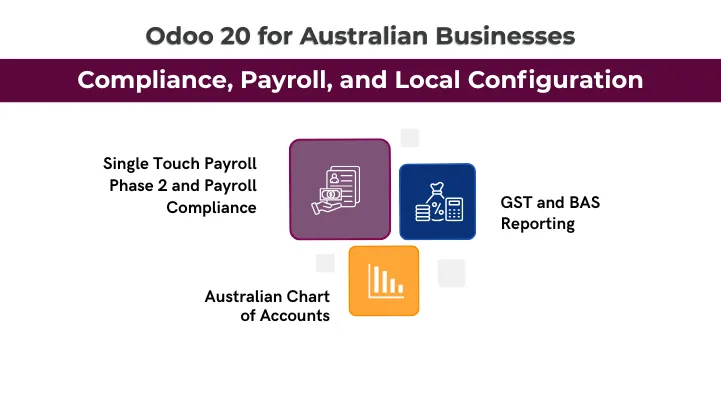
Single Touch Payroll Phase 2 and Payroll Compliance
Odoo 20 is predicted to maintain and extend its STP Phase 2 compliance, ensuring payroll events continue to be submitted automatically to the ATO after each pay run. According to the roadmap, improvements focus on reducing the edge cases that currently require manual intervention — disaggregated gross components, multiple income types in the same pay run, and closely held payee reporting.
GST and BAS Reporting
The BAS report generator is likely to be rebuilt with a more direct lodgement path — moving from the current export-and-reformat process to direct preparation and review within Odoo. For finance teams currently spending time manually reformatting data for their BAS, this is a meaningful quarterly time saving.
An updated GST tax mapping is also expected to address the coding complexities that currently arise in mixed-supply transactions and imported services.
Australian Chart of Accounts
Odoo 20 is likely to ship with a refined chart of accounts aligned with AASB standards. For new Odoo implementations, this removes a significant configuration burden during setup — and ensures businesses start on a compliant financial structure from the first transaction.
How to Upgrade to Odoo 20: A Practical Step-by-Step Guide
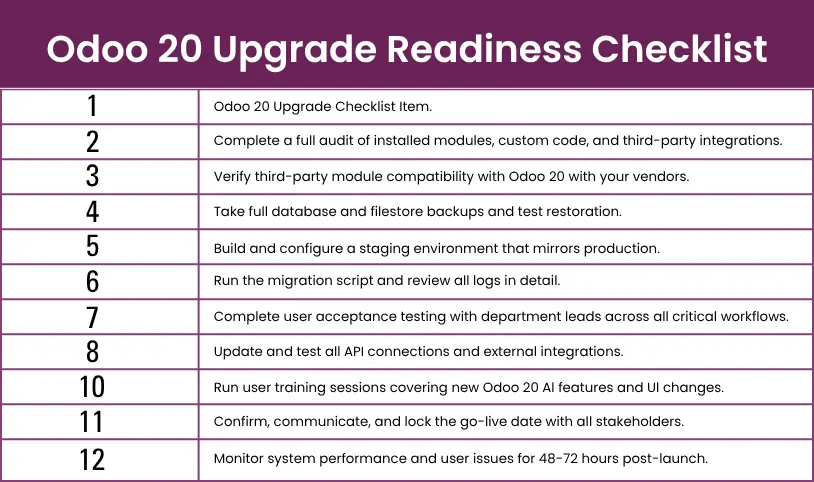
Most Odoo upgrade complications trace back to the preparation phase — or the absence of one. The upgrade itself is rarely where things go wrong. What follows is the methodology our team actually uses with clients, in the order we actually use it.
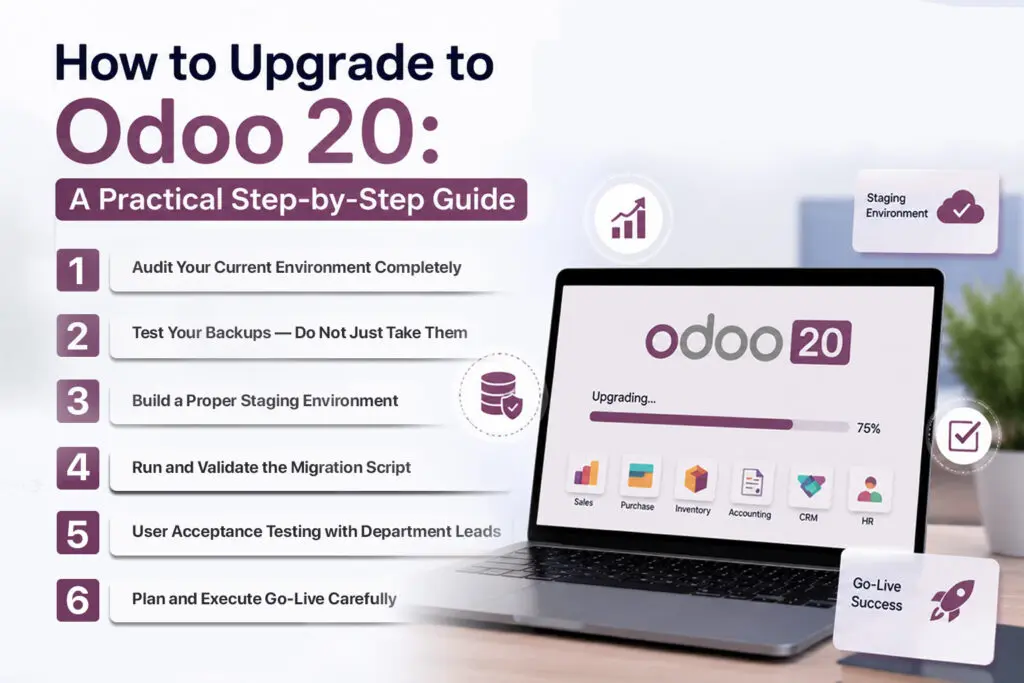
Step 1: Audit Your Current Environment Completely
Before you touch anything, document everything. Write down your current Odoo version, list every module—including third-party and custom ones—plus all integrations and any customisations that interact with Odoo itself. This audit determines your upgrade complexity and realistic timeline. Skipping or rushing it is the single most common cause of migration projects running over time and budget.
Step 2: Test Your Backups — Do Not Just Take Them
Back up your production database and filestore fully, and store copies in at least two locations. Next, grab a test backup and actually restore it; don’t just assume it works. People skip this way more than you’d think. But here’s the thing: the difference between an inconvenient outage and an absolute disaster? It comes down to whether your backup really does what you need. If you haven’t tested it, you don’t have a backup—plain and simple.
Step 3: Build a Proper Staging Environment
Replicate your production setup in staging and run the full Odoo 20 upgrade there first. This is where broken customisations, module incompatibilities, and data migration edge cases surface. Finding these in staging costs a few hours. Finding them in production costs days — and potentially client trust and revenue.
Step 4: Run and Validate the Migration Script
Execute the Odoo 20 migration script against your staging database. If you are working with Envertis, this step is managed and validated by our technical team. Review migration logs in detail — a completed script is not the same as a successful migration until the logs confirm it. Watch specifically for silent data type conversion issues and custom field migrations.
Step 5: User Acceptance Testing with Department Leads
Now, run through all your big business processes in staging: ordering, payments, payroll, manufacturing, eCommerce—everything. Get department leads and main users involved; don’t rely only on your tech folks. They won’t spot the issues you encounter when, say, the person who handles month-end close tries to run their own workflow.
Step 6: Plan and Execute Go-Live Carefully
Pick your go-live window when things are quiet. Make sure everyone knows exactly what’s happening and when, especially during that cutover period. Have your implementation partner ready to go for at least the first two days after launch. Keep an eye on the system for 48 to 72 hours post-launch; that’s not optional, it’s part of the plan.
Odoo 20 Upgrade Readiness Checklist
Is Upgrading to Odoo 20 Worth It? An Honest ROI Breakdown
The value of any ERP upgrade depends on where the pain is in your current operation. Here is how we assess the Odoo 20 business case with our clients.
Where the Time Savings Are
The expected AI automation features — reconciliation, replenishment, lead scoring, CV screening — each address manual tasks that consume skilled staff time at Australian professional rates of AU$80 to AU$120 per hour—reclaiming five hours per week per department across three departments compounds to AU$60,000 to AU$90,000 in annualised labour savings at those rates. That is not a rounding error in most businesses’ cost structures.
Compliance Risk Reduction
Manual reconciliation and data entry are the primary sources of accounting errors, inventory discrepancies, and payroll compliance issues in the businesses we work with. Based on the roadmap, Odoo 20’s AI tools are designed to reduce reliance on manual processes — directly lowering the risk of ATO compliance issues in payroll and BAS reporting. The cost of a payroll compliance investigation or a BAS amendment is difficult to quantify precisely, but it is never small.
The Cost of Waiting
Businesses on Odoo 16 or earlier that delay upgrading are not just missing features. They are accumulating security exposure, losing compatibility with current third-party modules and integrations, and building up technical debt that makes the eventual migration exponentially more complex. The multi-version catch-up migration we see among businesses that have deferred upgrades for three or four cycles consistently costs more, takes longer, and carries more risk than a single-version upgrade would.

Final Thoughts
Odoo 20 isn’t just a minor update. Based on the development roadmap, this version is a real step forward. AI isn’t just sprinkled on top—it’s built right into the core workflows your team uses every day.
The upgrades to finance, sales, inventory, HR, and manufacturing are practical. The Australian compliance improvements are specific. And if you’re still on Odoo 16 or earlier, the case for upgrading is pretty clear-cut.
If you’re using 18 or 19, the right call depends on your setup: your current pain points, your level of customisation, and what a migration project actually looks like for your business. There’s no universal answer, but there is a straightforward way to find yours.
At Envertis, we’ve taken Australian businesses through every major Odoo release. If you want an honest read on what upgrading to Odoo 20 means for your operation — timeline, cost, ROI, and complexity — we’re happy to walk you through it.

Frequently Asked Questions About Odoo 20
Q1. What are the most significant expected Odoo 20 AI features?
Odoo 20 is anticipated to bring AI into the core of daily operations — predictive lead scoring in CRM, automated bank reconciliation in Accounting, smart stock replenishment in Inventory, AI-assisted CV screening in HR, and natural language search across the entire platform. The goal is less manual work, not more complexity.
Q2. How does Odoo 20 compare to Odoo 19?
Odoo 19 introduced AI in isolated pockets. Odoo 20 is expected to extend that across the whole platform, with agentic AI capabilities and deeper automation in Sales, Manufacturing, HR, and eCommerce. It’s a more consistent and comprehensive step forward.
Q3. How long does an Odoo 20 upgrade typically take?
For businesses on Odoo 18 or 19 with minimal customisation, expect an end-to-end timeline of 4 to 8 weeks. Older versions or heavily customised environments typically run 10 to 16 weeks. Envertis provides a clear timeline after an initial audit of your setup.
Q4. Will my existing custom Odoo modules work with Odoo 20?
Custom modules built on earlier versions will likely need review and some rework, depending on how closely they interact with core Odoo APIs. A pre-upgrade compatibility audit is essential, and Envertis handles it as part of every migration engagement.
Q5. Does Envertis provide Odoo 20 implementation services in Australia?
Yes. Envertis is a certified Odoo partner with hands-on experience across manufacturing, retail, distribution, and professional services throughout Australia. We handle everything from initial scoping through to go-live and ongoing support, including full compliance configuration for STP, GST, and BAS from day one. Get in touch for a free initial consultation.
