
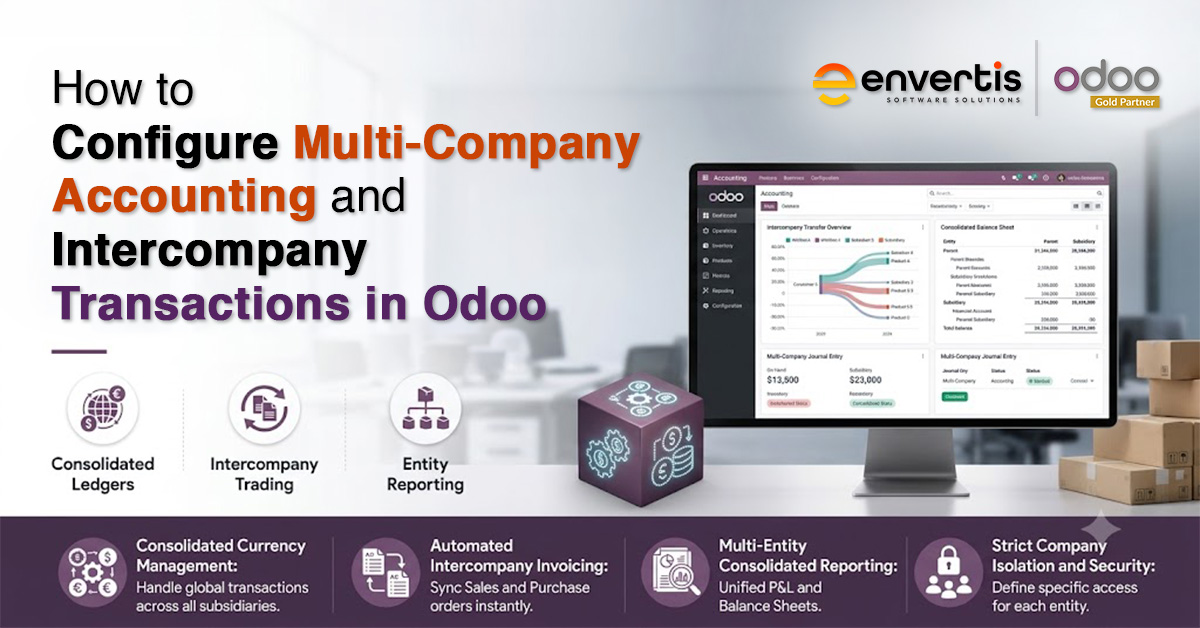
Growing a business into a group of companies rarely fails because of a lack of ambition. It fails when the finance function cannot keep pace.
Once you run two or more legal entities, you have to record every internal sale, transfer, and shared cost twice, match it across both sets of books, and then remove it again at group level.
A well-planned Odoo implementation turns that burden into a controlled and largely automated process, which is exactly why finance leaders keep asking how to set it up properly.
This guide walks finance managers, CFOs, and controllers through how Odoo ERP handles multi-company accounting and intercompany transactions. It covers planning the structure, configuring automated rules, handling journal entries and eliminations, and producing consolidated statements that stand up to audit.
What Odoo Multi-Company Accounting Actually Involves
Odoo lets you manage multiple legal entities all in one database. Each company has its own chart of accounts, currency, tax rules, and journals. You can choose what data to share, like products or contacts, and what to keep separate. That is the foundation of Odoo multi-company accounting: separate books where the law demands them, and shared data where sharing saves effort.

If you are a controller, this single-database setup saves you a ton of headaches. You do not have to waste time exporting data or stitching reports together by hand every month. Before you change a single setting, it helps to understand the four building blocks that shape any Odoo multi-company setup.
| Concept | What It Is | Best Used For |
| Branch | A sub-unit of a company in the same country, sharing its chart of accounts, tax, and currency | Same-country store networks or divisions |
| Separate company | An independent legal entity, usually in another country, with its own localisation and currency | International subsidiaries or joint ventures |
| Intercompany rules | Automated rules that decide how orders, invoices, and stock flow between two companies | Internal trade and procurement |
| Consolidation module | Combines entity data into formal group financial statements | Group profit and loss, balance sheet, reporting |
Planning Your Odoo Implementation for Multi-Company Accounting
Configuration is the easy part. The planning around it decides whether your group reporting holds up. A disciplined Odoo ERP implementation for a multi-entity group starts with three decisions, made before anyone opens a settings menu.
- Group chart of accounts: Design one account structure and map every entity to it. Building each company’s chart in isolation creates mapping gaps that only surface at consolidation, when they are expensive to fix.
- Currency policy: Set each entity’s local currency and the group’s reporting currency early, and decide whether exchange rates update automatically or by hand.
- Access model: List which users can see which companies. This protects your Odoo financial management data and keeps each controller working inside their own entity.
Get these three right, and the rest of your Odoo accounting configuration follows a predictable path.
This is where an experienced Odoo partner earns its fee, because reworking a chart of accounts after go-live costs far more than planning it once. Sound Odoo financial management depends on that groundwork more than on any single feature.
Step by Step: Setting Up Multiple Companies in Odoo
With the plan agreed, the build is straightforward. The core Odoo company management steps are as follows.
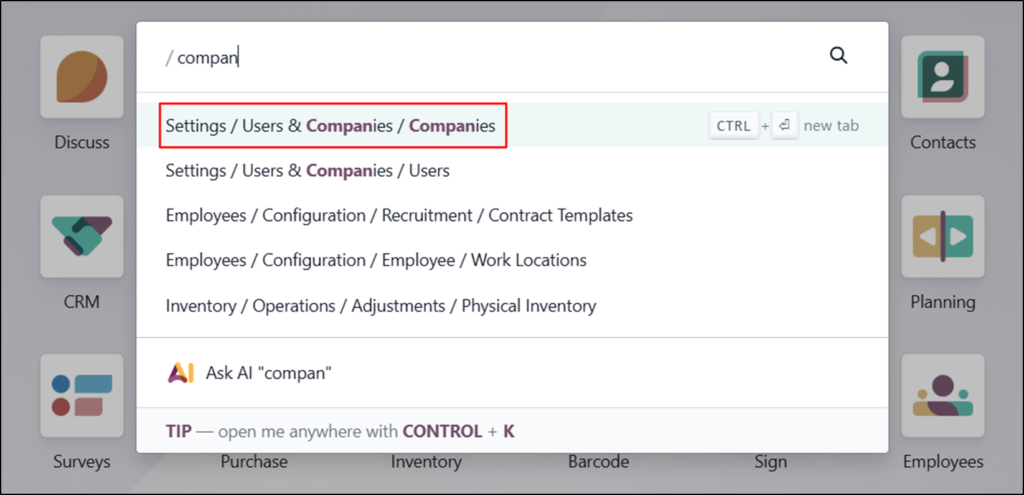
1. Switch to your parent company using the company selector, then open Settings, Users and Companies, Companies, and create a new company.
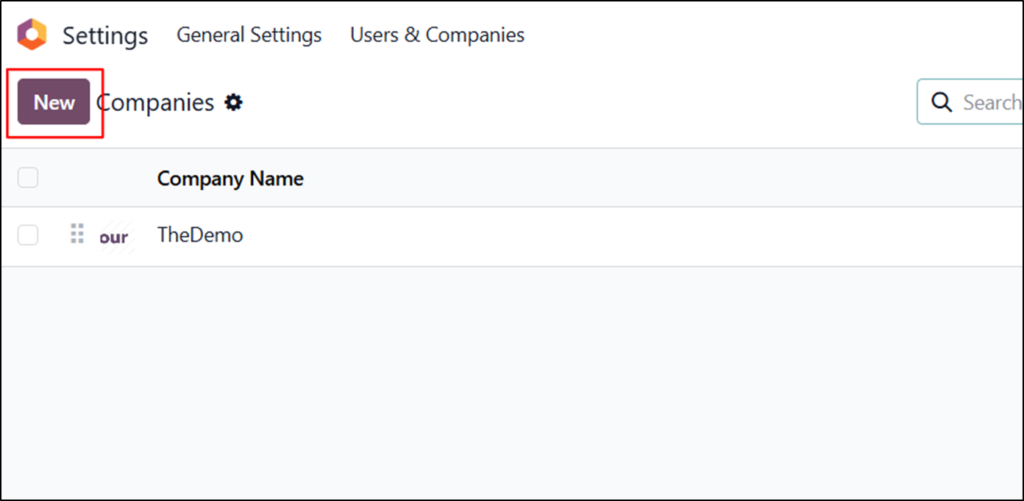
2. Enter the legal name, address, currency, tax identifiers, and fiscal localisation for that entity. Each company can carry its own accounting settings and tax registration.
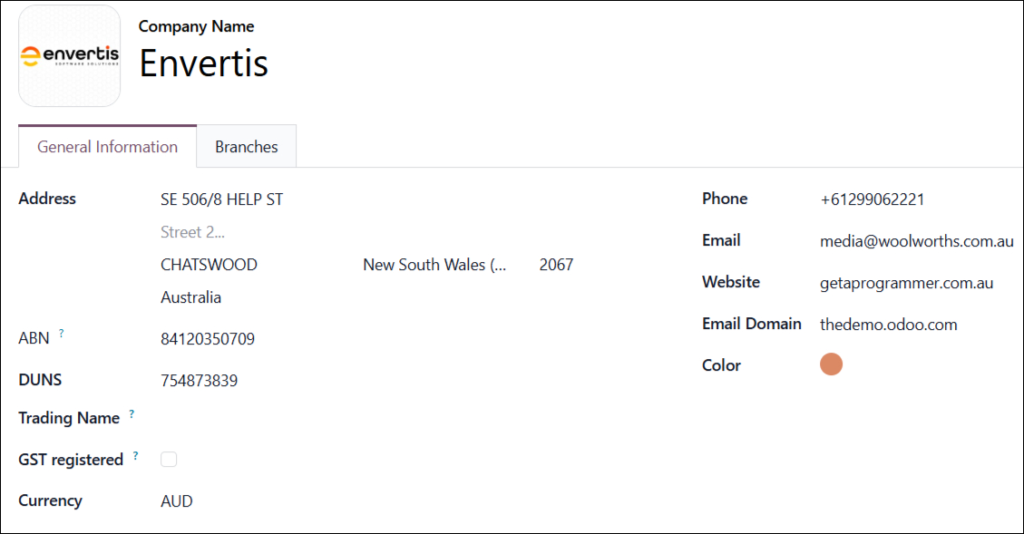
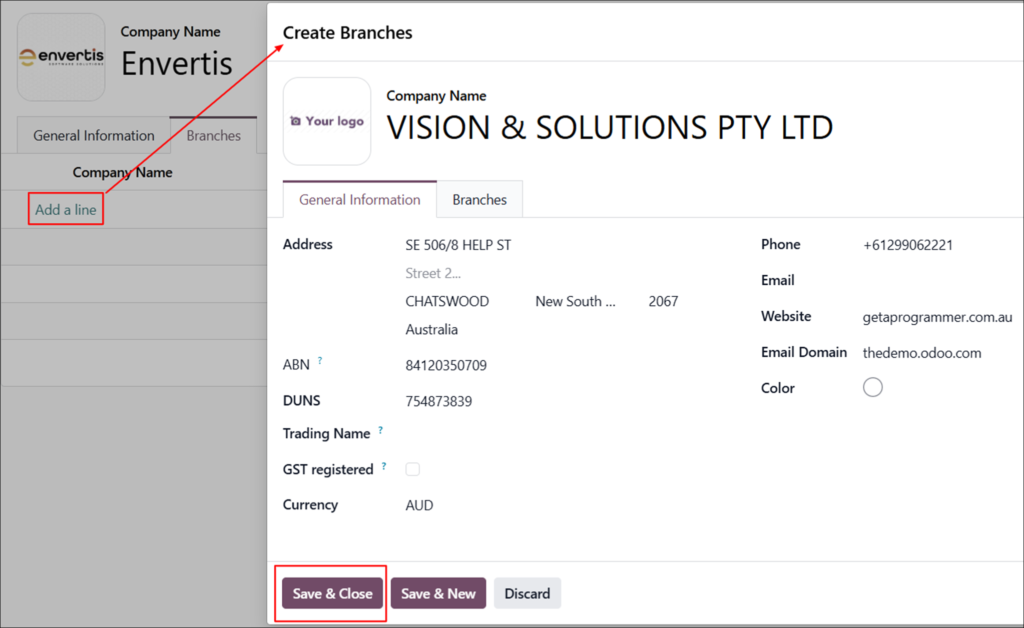
3. Add branches under the parent where entities share the same country and tax registration. Branches inherit the parent’s chart of accounts and currency.
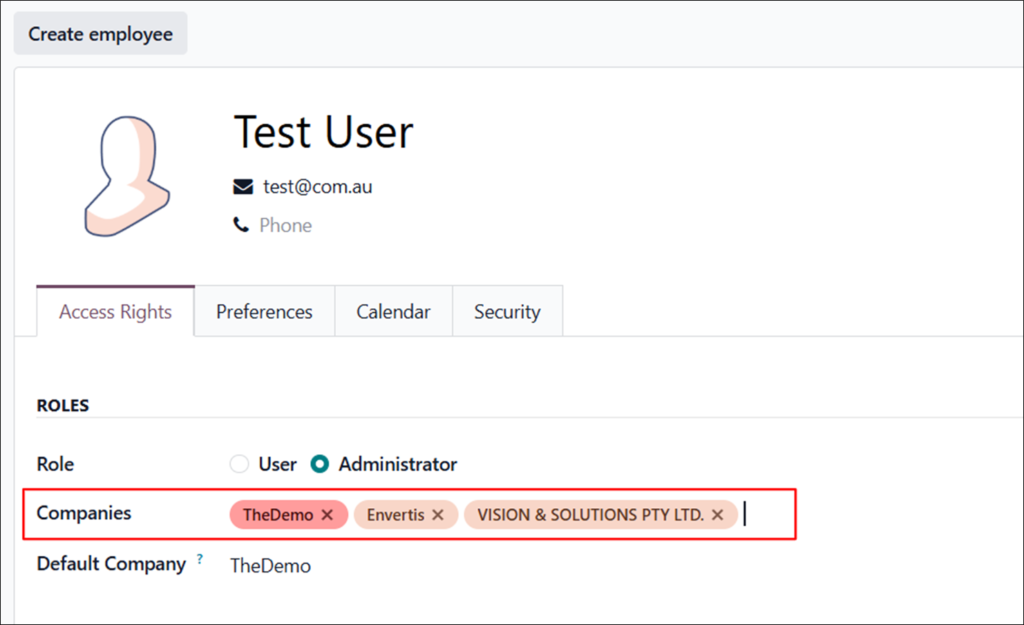
4. Open each user profile and assign allowed companies. The company highlighted in the selector is the user’s active working environment.
Shared versus company-specific data
One point trips up many teams: knowing what Odoo shares across the group by default and what stays locked to a single entity. Leaving the company field blank on a record makes it available to every company, which is useful for common suppliers and shared product catalogues. Set the company field to lock a record to one entity.
| Data Type | Default Behaviour | How To Control It |
| Products | Shared across companies | Set the company field to restrict |
| Contacts and partners | Shared across companies | Set the company field to restrict |
| Invoices and bills | Company-specific | Separated automatically by active company |
| Warehouses and stock | Company-specific | Each company holds its own warehouses |
| Journals and accounts | Company-specific | Consolidated at group level |
Configuring Intercompany Transactions in Odoo
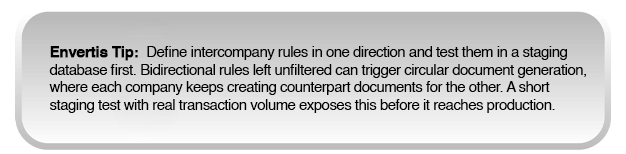
Here is where the automation pays off. When you enable Odoo intercompany transactions, the system creates the matching document in the second company as soon as you raise one in the first. A sale in Company A becomes a purchase in Company B with no rekeying and no risk of the two sides drifting apart.
Enabling intercompany rules
Switch to the company you want to configure, open Settings, find the Companies section, turn on intercompany transactions, and save. Then choose the rules that match your trade flows. This step is the heart of any Odoo intercompany transactions configuration.
| Rule | What It Does | Typical Use |
| Generate bills and refunds | An invoice in Company A creates a vendor bill in Company B | Service charges between entities |
| Generate purchase orders | A confirmed sales order in Company A raises a purchase order in Company B | Internal procurement flows |
| Create and validate | The counterpart document posts automatically, with no manual step | High-volume routine trade |
Together, these rules automate Odoo intercompany transactions and keep both sides of every trade in sync. For finance teams, that means fewer mismatches, a cleaner audit trail, and a shorter path to a finished close.
Intercompany journal entries and eliminations
Every internal trade leaves two sets of postings. When Company A transfers goods, it debits an intercompany receivable and credits inventory. Company B debits inventory and credits an intercompany payable. These are your Odoo intercompany journal entries, and they must agree entity-to-entity, or the group balance will not reconcile.
Sound Odoo intercompany accounting depends on standard cut-off dates. If Company A posts a sale on 31 March but Company B records the purchase on 2 April, the balances will not match at month-end.
Aligning posting deadlines across every entity removes most of that friction. During consolidation, Odoo eliminates these paired balances so group revenue reflects only genuine external trade. That elimination stops Odoo intercompany invoicing from inflating group numbers, and it is where careful Odoo intercompany accounting protects the integrity of the consolidated result.
Intercompany inventory and stock transfers
Groups often move physical goods between entities, not just money. Odoo links stock moves to intercompany rules, so a confirmed internal purchase order generates a delivery order in one company and a receipt in the other, keeping both inventories accurate in real time.
On the accounting side, the sending company records the outgoing value as an intercompany receivable, and the receiving company books it as an intercompany payable. At consolidation, those balances cancel out, which keeps stock movements between related entities from distorting group inventory value.
Products must be shared for these transfers to work, so leave the company field blank on any item that moves between entities.

Multi-Currency and Consolidated Financial Reporting
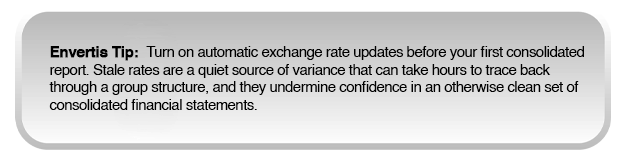
For groups that trade across borders, Odoo natively supports multiple currencies. Each entity runs in its own local currency while the group consolidates in a single base currency. Enable this under Accounting settings, then set exchange rates to update manually or automatically from a live source.
The Enterprise consolidation module then produces group statements: a consolidated profit and loss, a consolidated balance sheet with intercompany eliminations, and a real-time group cash position. These are the Odoo consolidated financial statements that boards and auditors expect, generated from one database rather than stitched together across spreadsheets and email.
A finance leader can also build a single dashboard that reports group revenue, cash, and intercompany balances without switching between company environments.
Common Configuration Mistakes to Avoid
Even a capable team can lose weeks to a handful of recurring errors. The most frequent ones are worth guarding against from day one.
- Separate charts of accounts. Building each entity’s chart in isolation breaks consolidation mapping and forces manual rework later.
- Unshared products. Forgetting to share products across companies can cause intercompany purchase orders to fail without an obvious reason.
- Missing fiscal positions. Skipping fiscal position setup produces tax mismatches on the documents Odoo generates automatically.
- Premature archiving. Archiving a company before reconciling its open transactions damages data integrity across the group.
Avoiding these is rarely about product knowledge alone. It comes from having configured multi-entity groups before, which is where seasoned Odoo implementation services make the difference between a smooth go-live and months of cleanup.
A structured Odoo implementation scopes these risks at the design stage rather than discovering them after the first close.
Getting Multi-Company Accounting Right the First Time
Setting up multi-company accounting in Odoo takes some real thought. If you map out your chart of accounts, lock in currencies and access rules, and sort out intercompany automation, closing the books each month actually feels organised. Skip those steps or rush through them, and you will keep running into problems every time you consolidate.
That is what Envertis deals with every day. We are a certified Odoo Gold Partner and have handled over 80 implementations. Envertis works with finance teams to build multi-entity setups that stay accurate, compliant, and audit-ready. Whether you are starting a new Odoo project or want to clean up an old multi-company mess, we can help you build the right accounting plan from the start.

Frequently Asked Questions
Q. Does Odoo require a separate database for each company?
No. A single Odoo database holds every entity in the group. Each company keeps its own books and settings while sharing master data where you allow it, which is the whole point of Odoo multi-company accounting.
Q. Can Odoo handle entities in different countries and currencies?
Yes. Each company can use its own fiscal localisation and local currency, while the group reports in one base currency. Odoo applies the relevant exchange rates during consolidation, so cross-border groups stay compliant without external conversion tools.
Q. How does Odoo stop intercompany profit from inflating group results?
The consolidation module automatically eliminates paired intercompany balances. Revenue from a sale between two group entities is removed at group level, so the consolidated statements show only real external activity.
Q. Do intercompany transactions post automatically?
They can. With the create and validate rule enabled, Odoo posts the counterpart document with no manual step. Many teams begin with manual validation and move to full Odoo intercompany transactions automation once they trust the flow.
Q. Is multi-company setup part of a standard Odoo ERP implementation?
It can be, but it requires planning around the chart of accounts, tax, and user access before Odoo accounting configuration begins. A provider experienced in multi-entity work will scope this during design, not after go-live.
Q. Should we configure this ourselves or use an Odoo partner?
Simple two-entity setups are manageable in-house. Groups with cross-border trade, complex tax, or serious consolidation needs usually benefit from an Odoo implementation provider that has done it before, as small configuration gaps compound quickly at the group level.
